


Craft World - Building Craft
3.1989.00 Reviews
App Specs
- Version
- 1.30.0.015
- Updated On
- License
- Free
- Downloads
- 10,000,000+
- Developer
- Craft world Studio
- Categories
- Simulation
- Platform
- Android, iOS
Screenshots
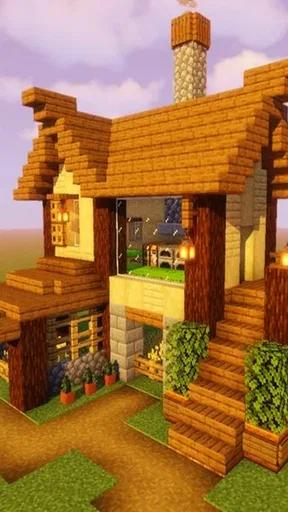
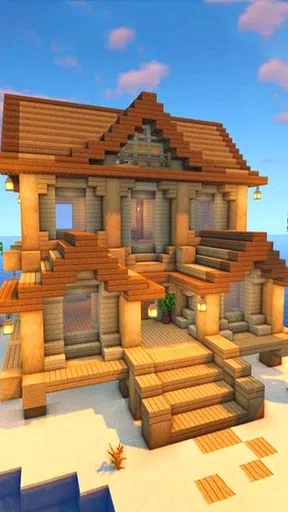
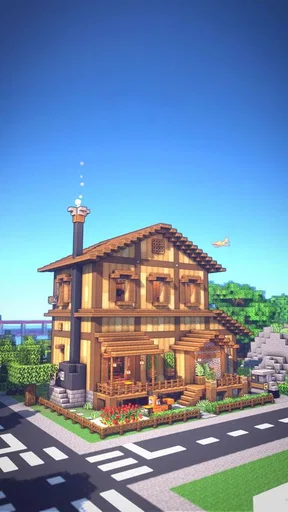
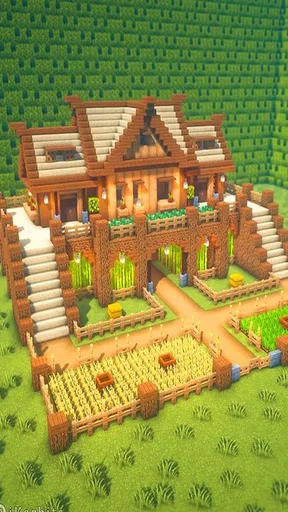
 Analysis by AppCompare
Craft World - Building Craft is the kind of mobile simulation game I open when I want a relaxed building session rather than a tightly guided challenge. It presents a block-based world where the appeal comes from deciding what to create, how to arrange it, and how much time to spend improving the result. That freedom is its strongest idea, although it also means the experience depends heavily on your own imagination and patience.
Created by Craft world Studio, this free game sits in the simulation category and is aimed at players aged 10 and up. It has attracted over 10 million installs, which tells me that its simple craft-and-explore concept reaches a broad audience. Its average score is 3.1 from around 33 thousand ratings, so I would approach it with realistic expectations: there is a worthwhile sandbox here, but it is not equally satisfying for everyone.
How the building decisions shape each session
The central decision is not simply whether to build. It is deciding what kind of session you want before you begin. I can treat the world as a blank canvas, work on a practical structure, experiment with shapes, or wander until an idea appears. That makes the game approachable, because I do not need to understand a complicated objective before placing the first blocks.
At the same time, a blank canvas can feel demanding. In a traditional level-based game, the next mission tells me what to do. Here, the responsibility is mine. Players who enjoy making their own projects will find that liberating, while anyone looking for a clear chain of goals may wonder what they are supposed to accomplish next.
I found that planning a small project first makes the experience much better. Instead of attempting a huge castle immediately, I might decide on a compact house, a path leading to it, and one surrounding feature such as a garden or lookout point. This gives the session a visible finish line and prevents the common sandbox problem of placing random pieces without developing a coherent result.
The building style also rewards thinking in layers. I prefer to establish the basic footprint, leave room for movement, and only then add decorative details. If I start with decoration, I can quickly create something attractive from one angle but awkward from every other direction. A little early planning saves a surprising amount of rebuilding later.
That is one of the more useful lessons in this game: the best-looking build usually begins with space management, not decoration. Leaving a clear route around a structure makes it easier to inspect and expand. It also gives a small project the feeling of being part of a world instead of a single object sitting in an empty area.
Worth Reading Before You Choose

EA SPORTS FC Mobile 26 Is a Bigger Football Game, but It Takes Time

Flipboard Shows What News Apps Must Do Beyond the Feed

Switching to Android Auto Means Rethinking Your Driving Routine

Google Calendar Makes a Crowded Week Easier to Manage

Ludo King Makes the Most of the Minutes Between Plans

Baby Panda World Brings Quick Play to Modern Phones, but Its Game Library Feels Busy
For a younger player, this open format can be a gentle introduction to spatial thinking. The age rating of Everyone 10+ makes sense for families considering it as a creative pastime. I would still recommend that adults explain the basic idea beforehand: it is more like an open building playground than a conventional game with a constant stream of instructions.
Why a short plan matters more than a grand idea
When I have only a few minutes, I do not try to complete an ambitious settlement. I choose one visible task, such as finishing a roofline or improving an entrance. This works well for a commute or a short break because the session has a clear purpose even if the larger build remains unfinished.
For longer sessions, I use a simple three-stage rhythm. First I sketch the main shape, then I check whether the layout feels balanced, and finally I add visual variety. This is not a formal mode or a hidden feature; it is a practical way to make the open-ended design less overwhelming. The game becomes more enjoyable when I give myself a process.
Another useful habit is to build from the outside inward when creating larger structures. Establishing the perimeter first helps me judge scale. If I begin with rooms or interior details, I can accidentally make the outer walls too cramped. This approach is especially helpful when I want a building to look convincing from several directions rather than only from the front.
Risk, reward, and the cost of changing direction
The risks in Craft World - Building Craft are mostly creative rather than competitive. I can spend time on an idea that does not work, discover that a structure feels too large, or realize that a decorative choice makes the whole design look uneven. Those setbacks are not dramatic, but they matter because building games turn time into the main resource.
I like that the game lets me experiment without the pressure of losing a match or disappointing a team. Trying an unusual shape is worthwhile because the cost is mainly the effort needed to revise it. That encourages experimentation, especially for players who are still learning how to create depth, symmetry, and visual contrast.
The trade-off is that experimentation can become repetitive if every project follows the same pattern. Without a personal challenge, I may build a basic structure, admire it briefly, and then stop. I get more value when I set a constraint for myself: use a limited palette, create a building around an unusual footprint, or design a connected group rather than a single isolated object.
These self-imposed limits create a useful form of counterplay against the game’s openness. The world does not need to provide a strict opponent for me to make meaningful choices. My own rules provide the pressure. If I decide that every new structure must connect to an existing path, for example, I start thinking about the whole settlement instead of treating each build as a separate object.
There is also a practical risk in making a project too ambitious. A large build can look exciting in the planning stage but become tiring when every section requires the same careful attention. I have learned to divide major ideas into landmarks. Completing one recognizable part gives me a sense of progress and makes it easier to return later without feeling that the project is unfinished in every possible way.
For that reason, I would not recommend beginning with a giant city to someone new to this type of game. A small cluster of buildings teaches more useful lessons: how wide a path should feel, how much empty space improves a view, and how repeated shapes can either create unity or make the scene dull.
Making creative risk manageable
My favorite way to test a risky idea is to build a rough version before committing to detail. A simple outline tells me whether the proportions work. If the silhouette already feels wrong, adding decoration will not solve the underlying problem. This saves time and makes failed experiments feel like part of the process rather than wasted effort.
I also try to inspect a build from different positions before calling it finished. A front-facing design can hide awkward sides or an overly flat roof. Looking at the structure as a complete object helps me decide whether it needs a stronger rear profile, a more open entrance, or a better transition into the surrounding space.
The reward for this patience is not a score or a formal achievement. It is the satisfaction of seeing a rough idea become a place with its own identity. That reward is personal, which explains why the game can feel deeply relaxing to one player and strangely empty to another.
Adapting when the first idea does not work
Adaptation is where the game becomes more interesting than a simple block-placement toy. My first plan rarely survives unchanged. A structure may need more breathing room, a path may lead nowhere useful, or two nearby shapes may compete for attention. The important skill is recognizing the problem early and changing direction without abandoning the whole project.
I find it helpful to separate structural problems from cosmetic problems. If the building is too narrow or the layout is badly balanced, I fix the structure first. If the shape works but looks plain, I then consider texture, repetition, and small accents. Mixing these two stages often leads to unnecessary rebuilding because I decorate an arrangement that was never comfortable to begin with.
Another adaptation is changing the scale of the project. If a settlement feels too empty, I do not automatically add many more buildings. Sometimes reducing the size of the open area creates a stronger composition. Conversely, if everything looks crowded, removing part of the build can improve it more than adding another layer of detail.
This is a useful counterintuitive point: removing blocks can be a form of progress. Empty space gives important structures room to stand out, and a clear route can make a small world feel more intentional. Players coming from games that reward constant expansion may need time to appreciate restraint.
I also adapt my goals to my available attention. On a focused evening, I may work on a complete district. On a tired day, I choose a maintenance task such as reshaping an entrance or improving the relationship between two existing structures. This keeps the game comfortable instead of turning it into another obligation.
The current version is 1.30.0.015, and the game supports devices running Android 7.0 or later. Those details matter when deciding whether an older phone or tablet is suitable. On a compatible device, I would still keep expectations sensible: a block-based world can be visually simple while remaining demanding during larger building sessions, so comfort depends on the device and on how much you try to create at once.
A realistic everyday session
Imagine having twenty minutes after school or work. I would start by choosing one unfinished structure rather than opening a completely new project. I might widen its entrance, create a short approach, and adjust the surrounding empty space. The first few minutes go into checking the silhouette, the middle into making the access route feel deliberate, and the final minutes into one or two details that help the building read clearly.
This routine gives the game a satisfying beginning and end. I am not relying on a long uninterrupted session, and I am less likely to leave behind a collection of half-started ideas. When I return later, I already know what the next practical step is.
For a family sharing a device, this kind of session also works well because each person can take a different role in the same creative world. One player can focus on structures while another thinks about paths or scenery. The open format supports cooperation through planning, even if the game itself does not need to be treated like a formal multiplayer activity.
How the experience develops over time
The depth here comes from improving my eye rather than unlocking a complicated strategy system. At first, I focus on placing blocks and making recognizable objects. With practice, I start noticing proportion, rhythm, negative space, and how a structure looks in relation to its surroundings. The game’s long-term appeal depends on whether that creative learning curve is rewarding for me.
I would describe the progression as project-based. Each new build can teach a different lesson. A compact home is useful for learning scale. A public-looking structure encourages attention to entrances and approach routes. A group of buildings teaches consistency and variation. The game becomes deeper when I use each project to practice a specific design problem instead of simply trying to make everything bigger.
That approach also prevents visual repetition. If every building uses the same width, height, and layout, the world can quickly feel like a row of copies. I prefer keeping one shared idea, such as a similar foundation or path style, while changing the silhouette and purpose of each structure. The result feels more connected without becoming monotonous.
Players who want constant rewards, missions, or competitive progression may find this long-term model too quiet. The usual alternatives in the simulation and building space often provide stronger objectives, resource loops, or a more explicit sense of advancement. Those games are better when I need a clear reason to return every day. This one is better when I want control over the project and do not mind creating my own milestones.
Compared with a more guided construction game, Craft World - Building Craft feels less like managing a system and more like arranging a personal scene. That means fewer external demands, but also fewer reasons to continue once my inspiration runs out. I would choose it over a goal-heavy alternative for freeform creativity, but I would choose the alternative when I want planning to be driven by resources, missions, or measurable efficiency.
The free price makes trying it easy, especially for families or casual players who are unsure whether block-based building suits them. I would not interpret free access as a guarantee that the game will fit every player. The real question is whether I enjoy setting my own objectives. If I do, the lack of a rigid path becomes a benefit. If I do not, it can feel like work.
Who should spend time with it
I think it is a good match for players who like designing spaces, testing visual ideas, and returning to improve something gradually. It can also suit younger builders who want a straightforward creative environment, provided they are comfortable with an experience that may not constantly tell them what to do next.
I would be more cautious about recommending it to someone seeking a polished competitive challenge, a deep management simulation, or a tightly scripted adventure. The store summary presents it as an adventure-friendly craft game, but my strongest reason to play is the building freedom. Anyone expecting a dense narrative or a carefully paced campaign should look toward a different kind of game.
The rating of 3.1 suggests a mixed reception, and I can understand why. Open-ended building is naturally appealing, but it also exposes any friction in controls, presentation, or motivation more clearly than a linear game does. A player who quickly needs new objectives may run out of momentum, while a creative player can continue finding value by inventing fresh projects.
My strategy verdict after living with the sandbox
Craft World - Building Craft works best when I treat it as a personal design notebook rather than a conventional progression game. Its meaningful decisions come from choosing a manageable project, balancing structure against empty space, and deciding when to revise instead of adding more. The risk is spending too much time on a weak plan; the reward is turning a simple outline into a place that feels deliberately made.
My practical advice is to begin small, build rough shapes before decorating, and give every new project one clear design question. Ask whether the entrance is inviting, whether the surrounding space feels useful, or whether the structure looks convincing from more than one direction. Those questions create depth that the basic block concept does not provide automatically.
I also recommend keeping a long-term project modest enough to revisit. A connected group of carefully planned structures is more satisfying to me than an oversized world filled with unfinished experiments. When inspiration fades, I return to a single improvement rather than forcing a new idea. That keeps the game relaxing and makes progress visible.
Overall, I see this as a free, accessible creative sandbox with a gentle learning curve and a very player-driven rhythm. It is not the right choice for everyone, especially if you need constant objectives or a strong competitive loop. But if you enjoy making decisions about layout, accepting imperfect first attempts, and gradually improving a world through your own planning, Craft World - Building Craft is worth trying on a compatible Android device.
My final recommendation is simple: download it when you want room to experiment, not when you want the game to manage your time for you. The experience becomes rewarding once I stop waiting for a perfect instruction and start treating each build as a small design problem. That is where its quiet strategy lies, and it is also the clearest reason I would recommend it to a friend who enjoys creative simulation games.
Pros
- Creative sandbox lets you build houses
- cities
- and detailed landscapes.
- Simple controls make mining and placing blocks easy for beginners.
- Exploration offers varied environments to discover and develop.
- Offline play is convenient when you have no internet connection.
- Open-ended gameplay supports both solo projects and casual experimentation.
Cons
- Graphics may feel basic compared with more polished block-building games.
- Repetitive resource gathering can become tedious during larger projects.
- Limited guidance may leave new players unsure about progression.
- Performance can vary on older or lower-end mobile devices.
- Some features or content may require ads or in-app purchases.
FAQs for Craft World - Building Craft
What is Craft World - Building Craft?
Craft World - Building Craft is a sandbox-style game focused on exploration, resource gathering, crafting, and construction. Players can collect materials, create tools, build houses or larger structures, and shape their own world at their preferred pace. Its block-based gameplay is easy to understand, making it suitable for casual players who enjoy creative building and open-ended adventures.
Is Craft World - Building Craft free to download and play?
The game is generally available as a free download, although the exact pricing and included features may vary depending on whether you use Android or iOS. Free versions can include advertising, optional purchases, or access limitations. Before installing, check the store listing for the current details, supported devices, in-app purchase information, and any requirements that may affect your playing experience.
Can I play Craft World - Building Craft offline?
Craft World - Building Craft may support offline play for its main building and exploration features, which is useful when you do not have a reliable internet connection. However, certain functions can require connectivity, including advertisements, updates, purchases, cloud features, or online-related content. It is best to launch the game once while connected and verify which modes remain available offline.
Is Craft World - Building Craft suitable for children?
The simple controls, colorful block-based visuals, and creative construction mechanics can make Craft World - Building Craft appealing to younger players. Nevertheless, parents should review the store rating, advertising behavior, chat or multiplayer options, and in-app purchase settings before allowing children to play. Using device-level parental controls is recommended, especially if the game displays ads or offers optional purchases.
What devices are compatible with Craft World - Building Craft?
Compatibility depends on the specific Android or iOS version, available storage, and the hardware requirements listed by the developer. Older phones and tablets may experience slower performance, longer loading times, or reduced visual quality. Before downloading, check the official store page for the minimum operating-system version, required storage space, permissions, and whether your device is officially supported.


